
AI writing actions in any app & browser.
Select text in Outlook, Teams, Word, Slack, Notion, your IDE, or any browser tab — press Ctrl+Shift+Space to rewrite, fix grammar, adjust tone, dictate by voice, or translate into 20 languages.
Meet Kaku for Desktop — AI writing across your entire OS
Built with Tauri 2 (Rust + React), Kaku lives quietly in your system tray and brings the same instant writing actions to every native application on Windows and Linux.
Two ways to trigger in any application
Whether you are composing an email in Outlook, replying in Teams or Slack, drafting a spec in Word or Notion, or writing comments in VS Code, Kaku works right where your cursor is — without switching windows.
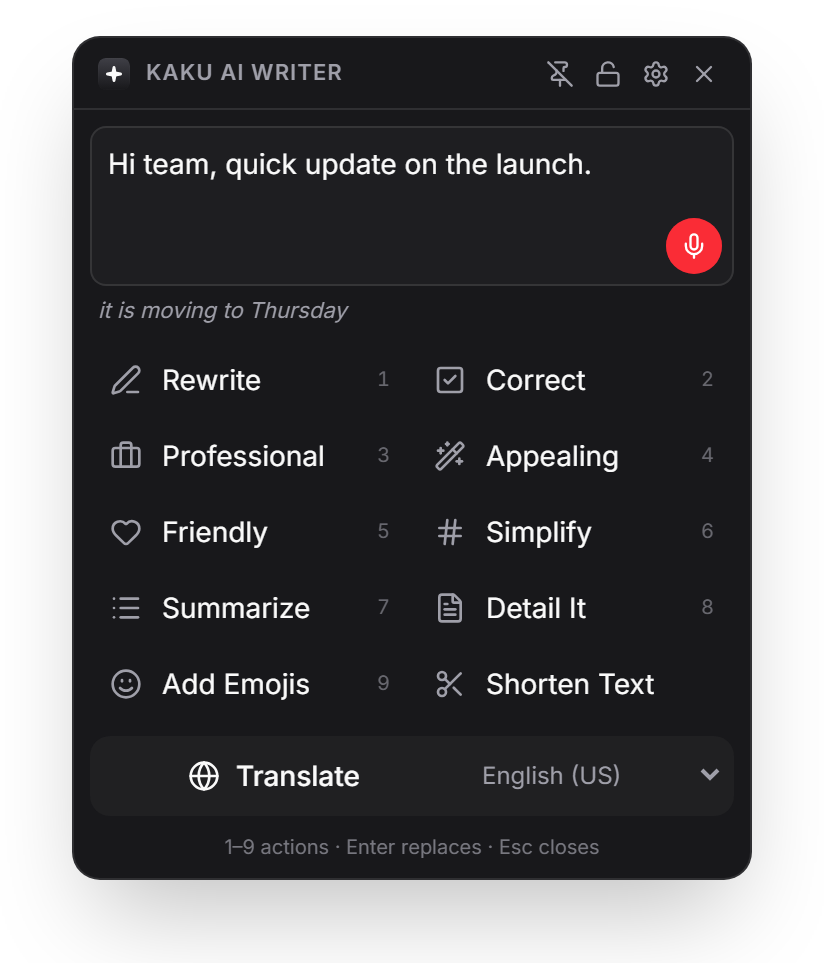
Opens the Kaku palette next to your cursor. Pick any of the 11 actions (or press 1–0), review and edit the result, then click Replace selection. Open it with no selection to type, paste, or dictate from scratch.
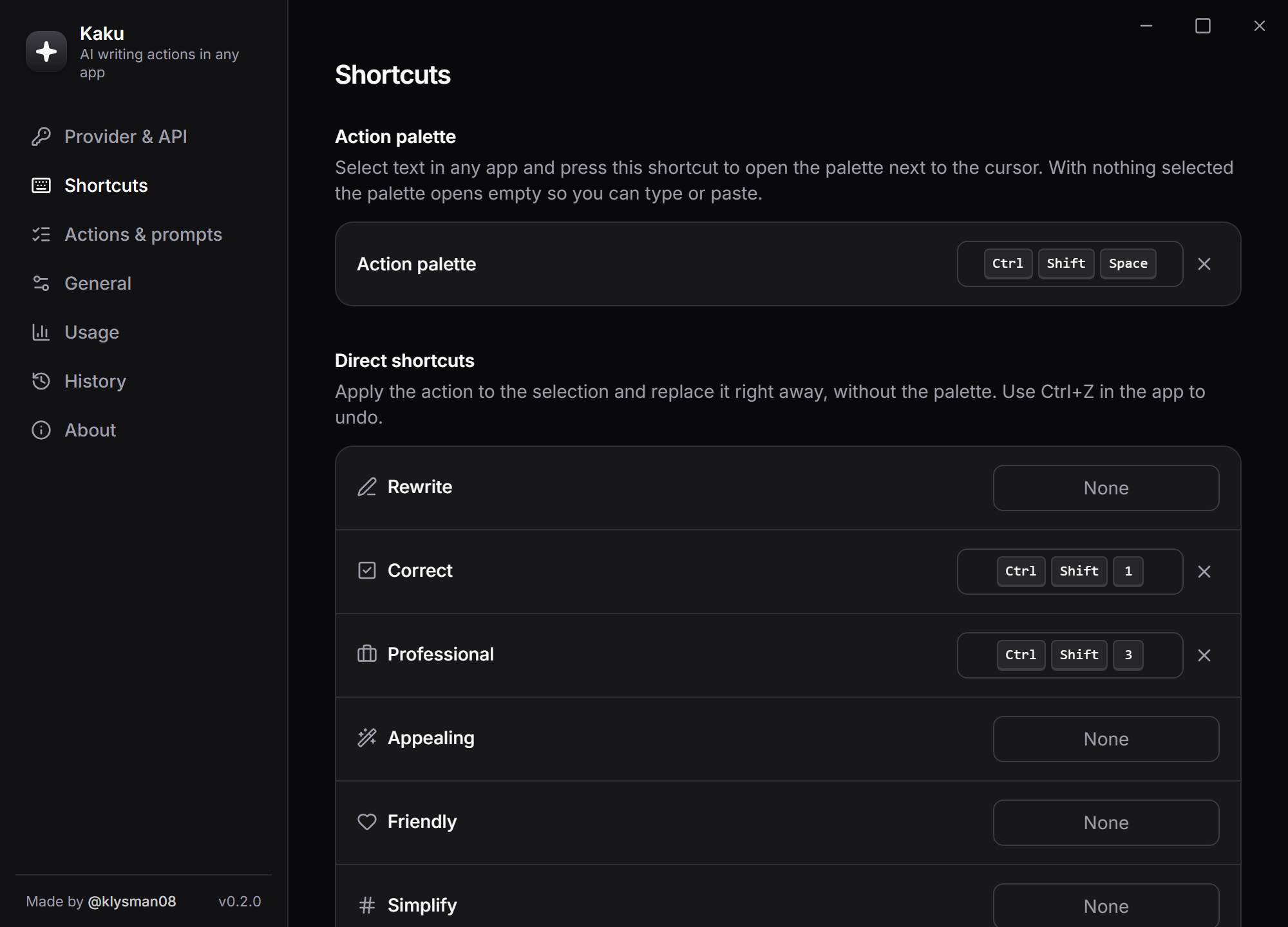
Runs Rewrite, Correct, or Professional immediately and replaces your selected text in place with a subtle corner toast — while automatically preserving and restoring your clipboard.
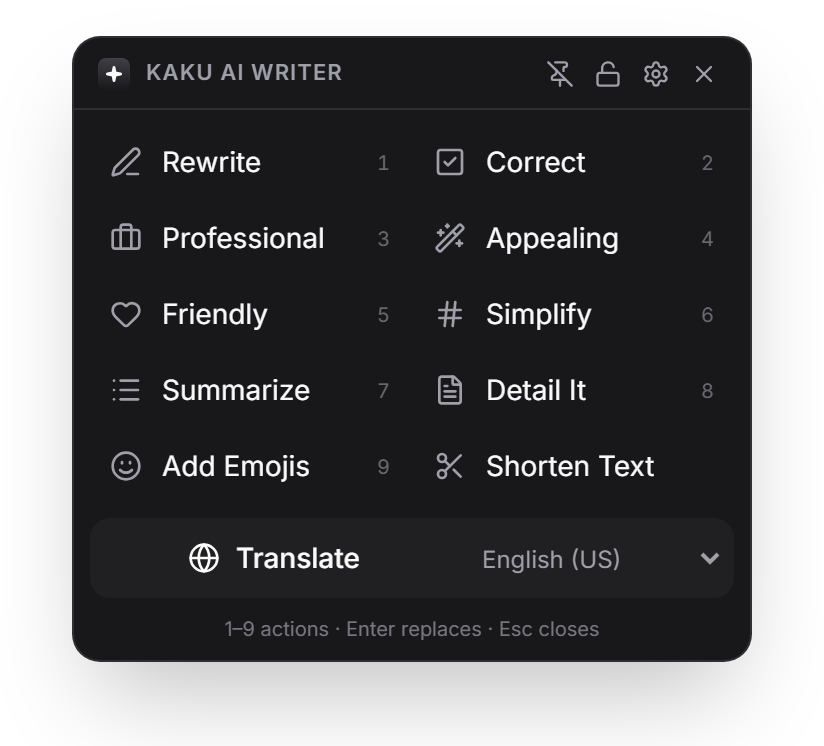
Ctrl+Shift+Space)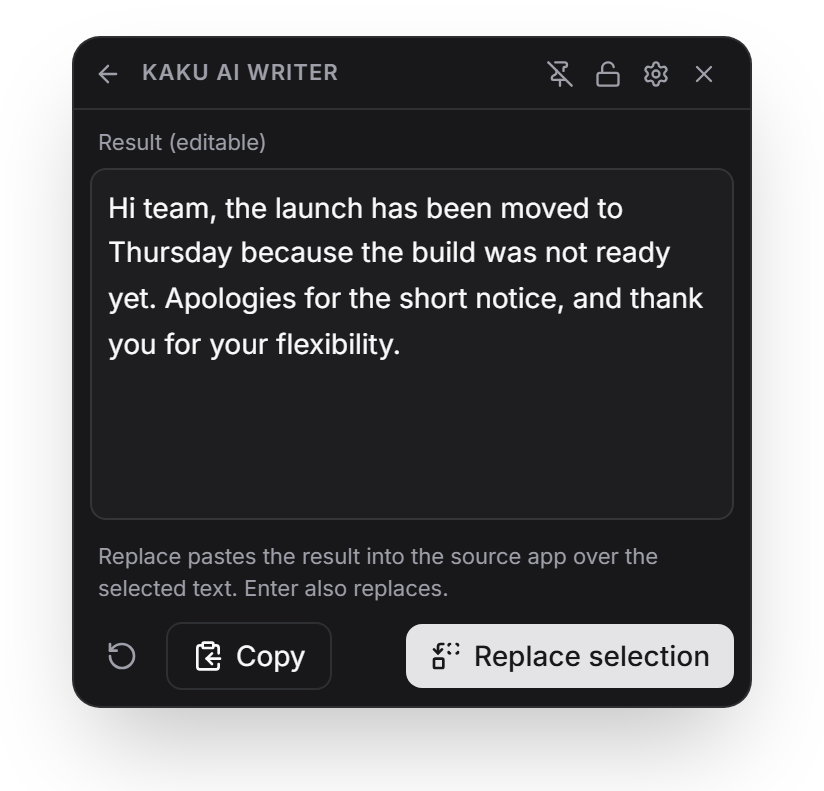
Gemini, OpenAI, Azure & Local Ollama
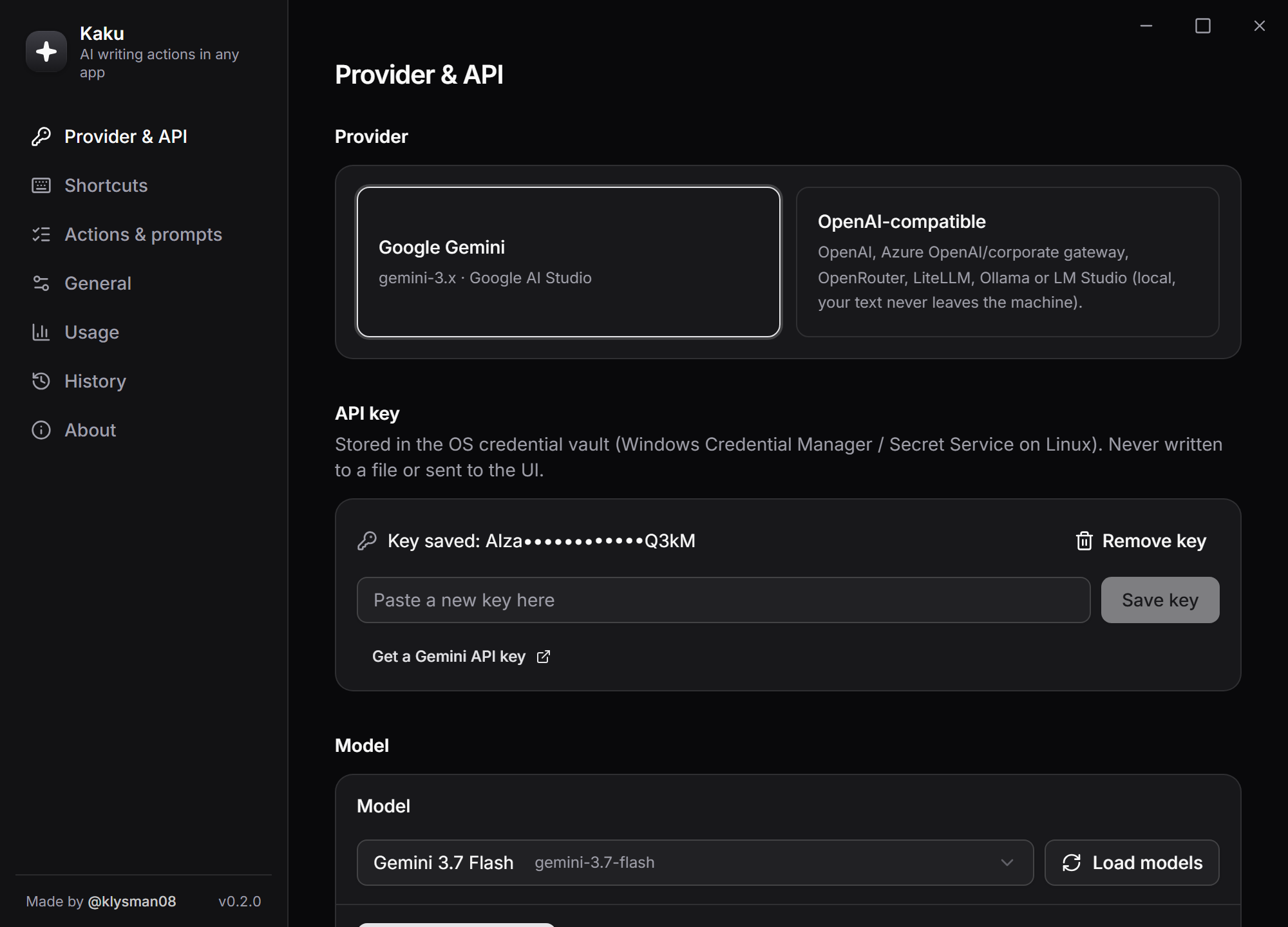
Connect to Google Gemini (gemini-3.x) or any OpenAI-compatible endpoint — including OpenAI, Azure OpenAI, OpenRouter, LiteLLM, or local Ollama and LM Studio so your text never leaves your machine.
Built-in Voice Dictation
Click the microphone inside the palette's text box to speak instead of typing. Choose between live Windows speech recognition, Windows Voice Typing (Win+H), or AI provider audio transcription on Windows & Linux.
OS Credential Vault & Enterprise Proxy
API keys are stored in the native OS vault (Windows Credential Manager or Linux Secret Service). Uses the OS certificate store and supports system or explicit HTTP(S) proxies for corporate TLS inspection.
Usage Dashboard & Cost Estimator
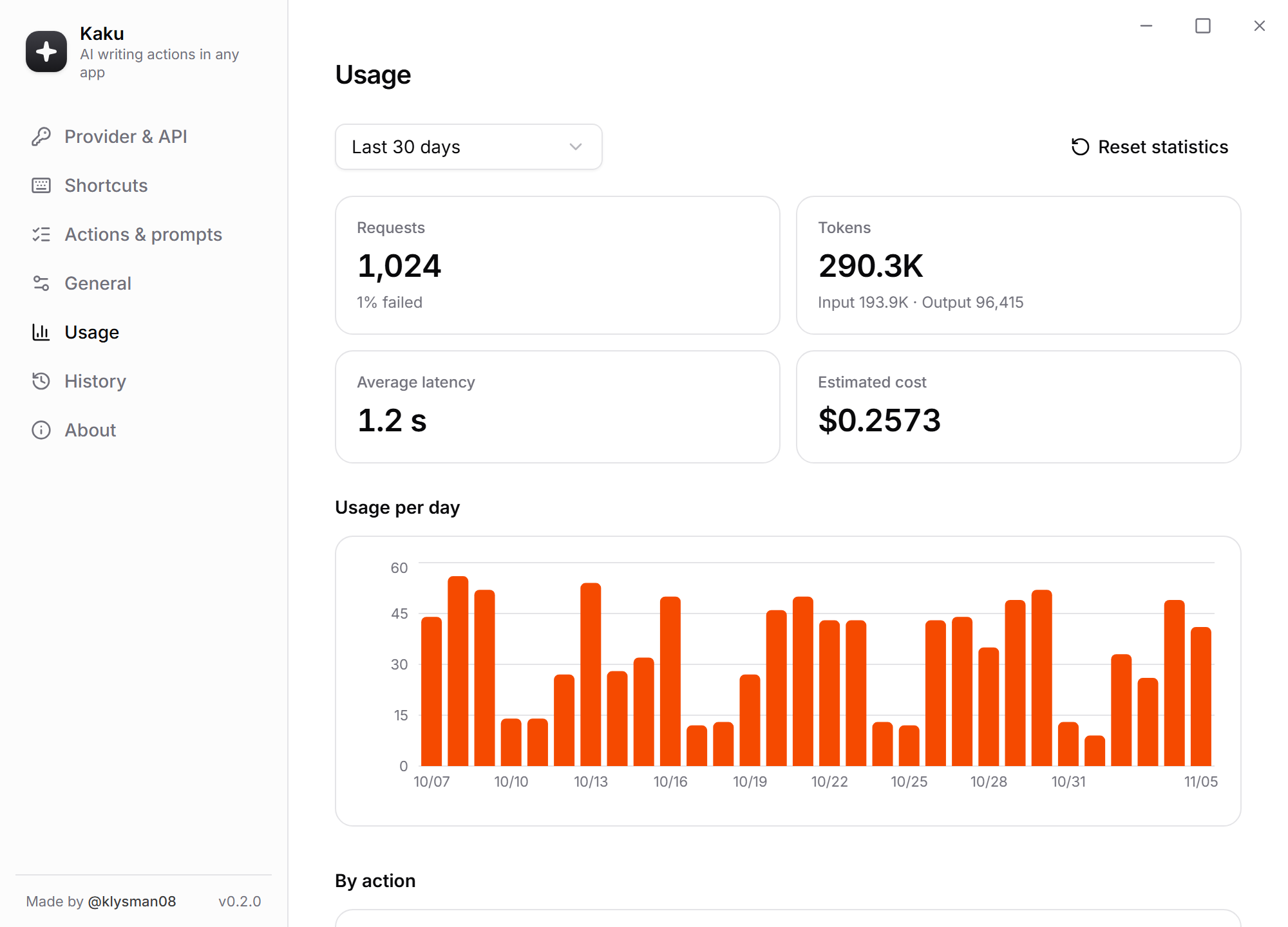
Track total requests, input/output tokens, average latency, failure rate, daily activity charts, per-action and per-model breakdowns, and estimated USD cost.
Searchable Local SQLite History
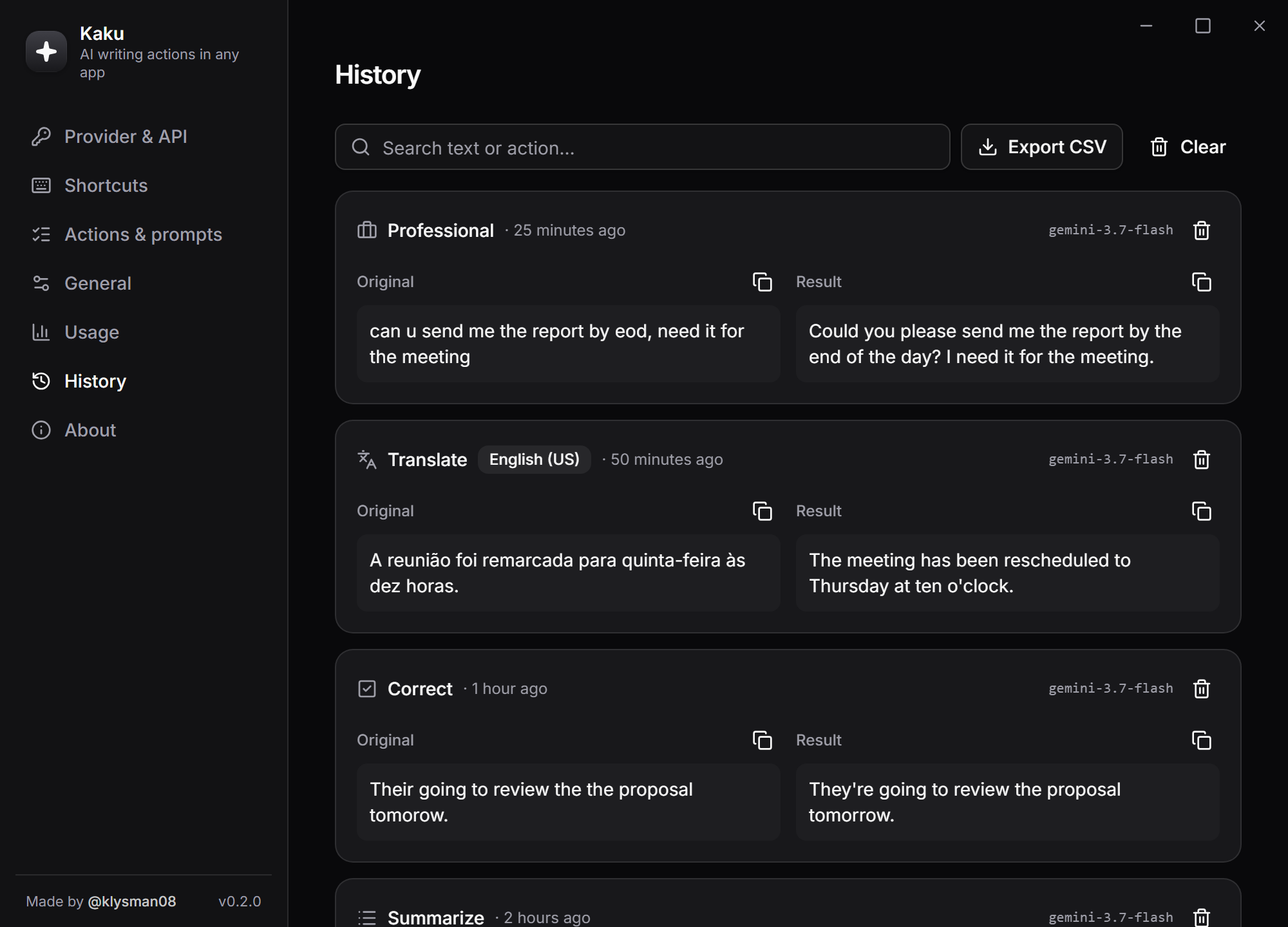
Every transformation is optionally logged to a local SQLite database on your machine with instant search, copy, individual deletion, configurable retention limits, and CSV export.
CLI & Linux Wayland Ready
Invoke Kaku from scripts, Raycast/Rofi/Walker launchers, or Wayland compositor shortcuts (GNOME, KDE, Sway, Hyprland) via kaku --popup or kaku --action <id>.
Inside the Kaku Desktop Interface
Clean, distraction-free native windows designed to blend into Windows 11 and modern Linux desktops in both dark and light themes.
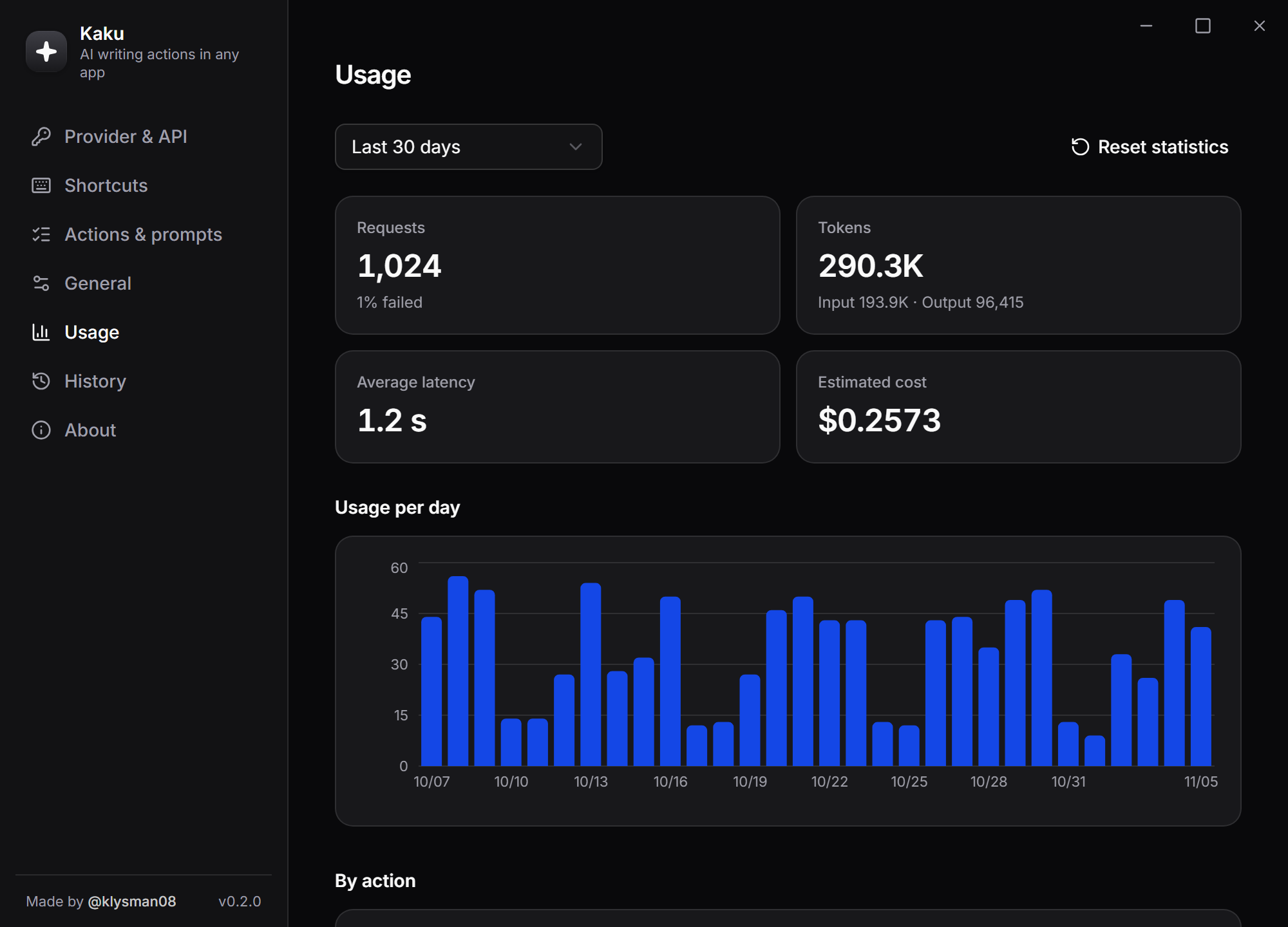
Usage Dashboard: Monitor total requests, input/output tokens, average latency, estimated API cost, daily request volume, and breakdown by writing action and model.
Download Kaku for Your Platform
Free, open-source, and available for Windows, Linux, and Google Chrome.
Windows 10 & 11 (x64)
Per-user installer (no admin required) & enterprise MSI
Kaku_x.y.z_x64-setup.exe
Kaku_x.y.z_x64_en-US.msi
Linux (x86_64 • X11 & Wayland)
Debian/Ubuntu, Fedora/RHEL/openSUSE & universal AppImage
sudo apt install ./kaku_*_amd64.deb
kaku-*.x86_64.rpm / .AppImage
Chrome & Chromium Browsers
In-page floating badge & Shadow DOM palette for the web
Chrome Web Store (Manifest V3)
ProseMirror, Lexical, Monaco, Gmail
Scriptable from any launcher, terminal, or Wayland compositor
already running? Every CLI invocation forwards instantly to the resident tray instance so there is zero cold-start overhead.
# Open the floating Action Palette at the cursor
kaku --popup

# Run a writing action on the current selection (or --clipboard)
kaku --action review
kaku --action translate --clipboard
11 Writing Actions Across Desktop & Browser
Both the Kaku Desktop App and the Kaku Browser Extension share the same 11 customizable writing actions, Zinc aesthetic, and privacy-first architecture.
| Capability | Kaku Desktop App (Windows & Linux) | Kaku Browser Extension (Chrome) |
|---|---|---|
| Where it works | Every desktop app (Outlook, Teams, Word, Slack, IDEs, terminals, browsers) | Inside any webpage, webmail, or rich web editor |
| How to trigger | Ctrl+Shift+Space palette, Ctrl+Shift+1/2/3 direct replace, tray menu, or kaku CLI |
Floating selection badge on highlight or custom hotkey (Ctrl+Shift+K) |
| AI Providers | Google Gemini, OpenAI, Azure, OpenRouter, LiteLLM, local Ollama & LM Studio | Google Gemini API (gemini-3.7-flash, 3.5-flash, 3.5-flash-lite) |
| Voice Dictation | Built-in mic (Windows Speech, Win+H, or AI audio transcription) |
Text selection & keyboard workflow |
| Credential Storage | OS Credential Vault (Windows Credential Manager / Linux Secret Service) | Browser local sandbox (chrome.storage.local) |
| Repository | github.com/klysman08/Kaku | github.com/klysman08/TextBetter |
Bring Your Own Key — Or Run 100% Locally
Use lightning-fast cloud models from Google Gemini and OpenAI, or keep sensitive text strictly on-device with Ollama.
Google Gemini 3.x Flash
High-speed reasoning & free tier via Google AI Studio
- Works in both Kaku Desktop and Kaku Chrome Extension
- Nuanced tone shifting & 20-language translation
- Auto-discovers newly released Gemini 3.x models
OpenAI, Azure & OpenRouter
Any OpenAI-compatible /v1 chat & audio endpoint
- Supported natively in Kaku Desktop for Windows & Linux
- Works with corporate gateways, LiteLLM & HTTP(S) proxies
- Supports Whisper / audio transcription for voice dictation
Ollama & LM Studio (Local)
100% offline — your text never leaves your computer
- Point Kaku Desktop to
http://localhost:11434/v1 - Run Llama, Qwen, Gemma, or Mistral locally with zero API cost
- Ideal for confidential code, legal, or enterprise documents
Get Started in 3 Steps
Set up Kaku on your desktop or browser in under a minute.
Install Kaku on Desktop or Chrome
Download the native installer for Windows (.exe / .msi) or Linux (.deb / .rpm / .AppImage) from GitHub Releases, or install the Chrome Extension from the Chrome Web Store:
git clone https://github.com/klysman08/Kaku.git
Connect Your AI Provider
Grab a free Gemini API key from Google AI Studio, or in the Desktop App choose any OpenAI-compatible provider (OpenAI, Azure, OpenRouter) or a local Ollama server (no API key required).
Select Text & Trigger Kaku
On Desktop, select text in any app and press Ctrl+Shift+Space (or Ctrl+Shift+1/2/3 to replace in place). In Chrome, highlight any text to click the floating Kaku badge or press Ctrl+Shift+K.
Frequently Asked Questions
Everything you need to know about the Kaku Desktop App and Browser Extension.
chrome.storage.local.
Kaku_x.y.z_x64-setup.exe) installs per-user under %LOCALAPPDATA%\Programs\Kaku and does not require administrator privileges. Kaku also uses the native OS certificate store and supports HTTP(S) proxies for corporate networks. An .msi package is also provided for IT administrators.
kaku --popup or kaku --action <id>. With wl-clipboard and wtype installed, Kaku captures selections and pastes results automatically.